Case Study — Platform Comparison

Same Site.
Three Platforms.
One Winner.

I built the same fine art photography site from scratch on WordPress, Webflow, and Framer to find out which platform actually holds up on DX — and which ones overpromise. Free plan only throughout.

Subject Gianna Studio
Platforms WordPress · Webflow · Framer
Constraint Free plan only
Type DX Study
The Setup

One design. Built three times.

Gianna Studio is a fictional fine art photography brand. The site had six sections: Nav, Hero, Projects, About, Contact, and Footer. Design and content stayed identical across all three builds. Only the platform changed.

I scored each platform on developer experience — ease of building, layout control, responsive behavior, and how much friction the free tier actually creates. Whether the platform was free to deploy was a bonus factor, not the premise. The question was simple: which one gets out of your way fastest?

Important context: The WordPress evaluation reflects Hello Elementor theme + Elementor Free plugin specifically — not WordPress as a platform. WordPress has a significantly higher ceiling depending on theme and workflow. A dedicated theme face-off study is planned. Additionally, DX ratings throughout this study are directly affected by CSS knowledge. For developers comfortable writing CSS, these platforms' abstraction layers can create more friction than value.

Proof of Build

What came out the other end.

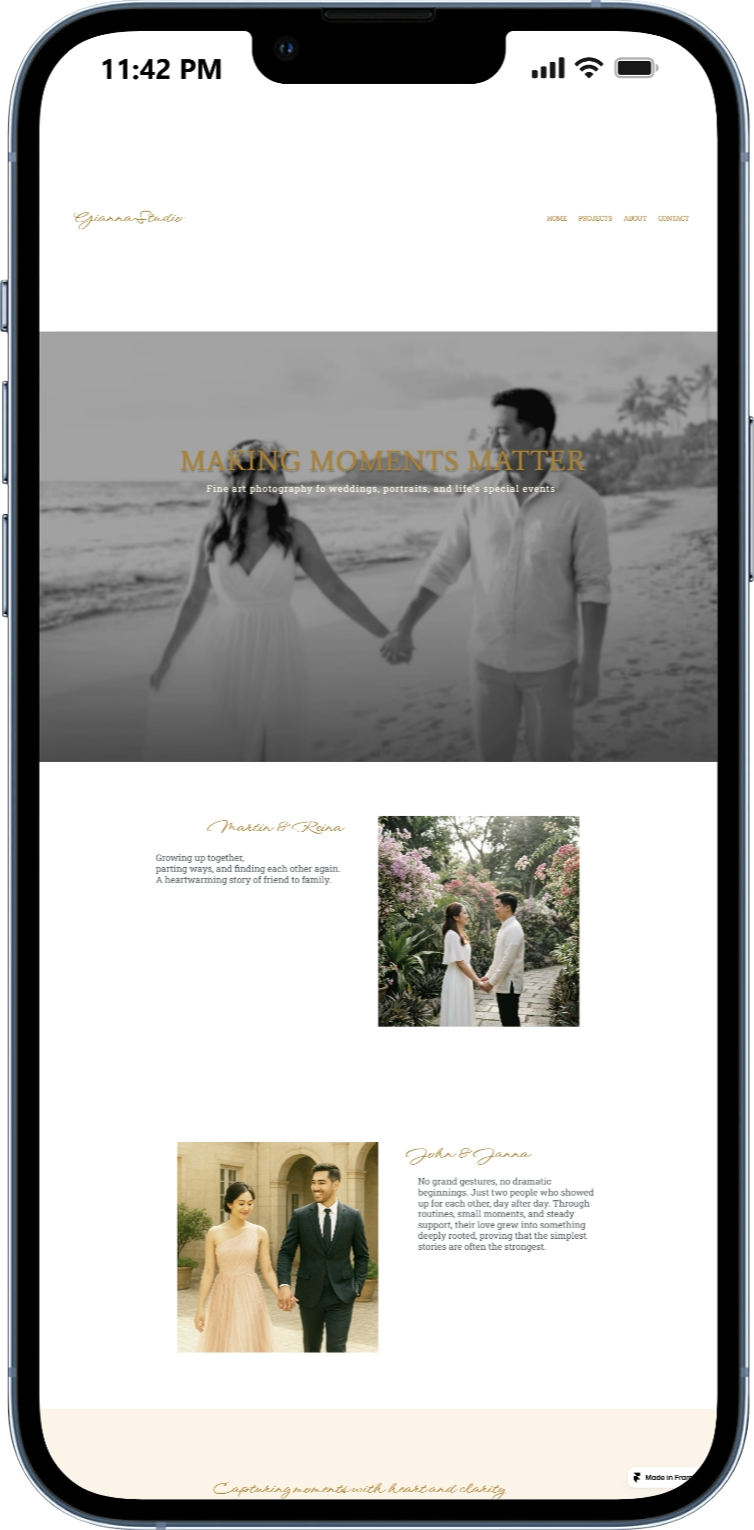
These are sample mobile screenshots from the three builds.

Gianna Studio — WordPress mobile build WordPress (Elementor Free)

Mobile hero — absolute positioned H1, Hello Elementor theme base, custom hamburger via HTML widget.

Gianna Studio — Webflow mobile build Webflow

Zero mobile breakpoint work. Responsiveness is excellent but must be careful to make sure elements are in view before animations are applied

Gianna Studio — FRamer mobile build Framer

Mobile view must be edited on a block separate from desktop view. Intuitive process for designers, easy but less control for devs.

Platform Breakdown

What each one actually felt like.

WordPress
Hello Elementor + Elementor Free Moderate

What it does well

  • Best plugin and integration ecosystem
  • Full PHP and database access
  • Self-hosted — full site ownership
  • Best for non-technical client handoff (right theme)
  • Marketing capabilities beat both platforms

Where it struggled

  • Nav widget customization locked behind Pro
  • Per-element CSS requires Pro — constant workarounds
  • CSS fights Elementor's own styling layer
  • Workflow fragmented across three separate editors
  • No free deployment option
Webflow
Free plan Good

What it does well

  • Clean div-based layout — no theme fighting
  • Global color variables work reliably
  • Animations free and built-in
  • Logical breakpoint system
  • Free deployment with a live URL
  • Best responsive workflow of the three

Where it struggled

  • Site-wide custom code paywalled
  • Class system has a real learning curve
  • Navbar Brand won't accept inline text
  • Background images need combo class workarounds
  • Docs often show outdated UI
Framer
Free plan Moderate

What it does well

  • Figma-native feel — fastest for pure designers
  • Free deployment out of the box
  • Animations free and visually impressive
  • Fast canvas interaction

Where it struggled

  • Color styles panel broken — global colors unreliable
  • Navbar text only editable inside component editor
  • Mobile is fully manual — no smart responsive behavior
  • Blank sections unavailable
  • Scroll anchoring is unintuitive
Full Comparison

Everything, side by side.

All criteria scored across free-plan builds. The WordPress column reflects Elementor Free specifically.

Key Insight
"Your experience on any of these platforms is directly tied to your CSS knowledge."

For developers who can write CSS, the abstraction layers these tools add often create more friction than value. The real differentiator isn't which platform is objectively best — it's which one gets out of your way fastest given your skill level. WordPress with a bare theme and direct CSS access could rival or beat Webflow for a developer. Webflow's class system makes more sense once you see it as visual CSS. Framer rewards designers who think in components.

Final Verdicts

Who each platform is actually for.

Best for Developers
Webflow

Class system maps to CSS thinking. Full layout control, clean breakpoints, Navigator for structural precision. WordPress with a bare theme is a close second.

Best for Designers
Framer

If you live in Figma, this canvas feels native. Color styles bug and fully manual mobile are real caveats for production use.

Best for Non-Technical Users
WordPress

With the right theme. Dashboard and drag-and-drop are genuinely approachable for client handoff. Framer works for simpler, design-forward sites.

Best for Marketing
WordPress

Plugin ecosystem fills every gap. All three require third-party tools for real automation — but WordPress wins by a significant margin.

Best Overall (Free Plan)
Webflow

Most complete and consistent free-plan experience. Friction exists but it's logical and learnable. Free deployment, built-in animations, and clean layout control make it the strongest all-rounder here.

Study Notes